 WaywardHouse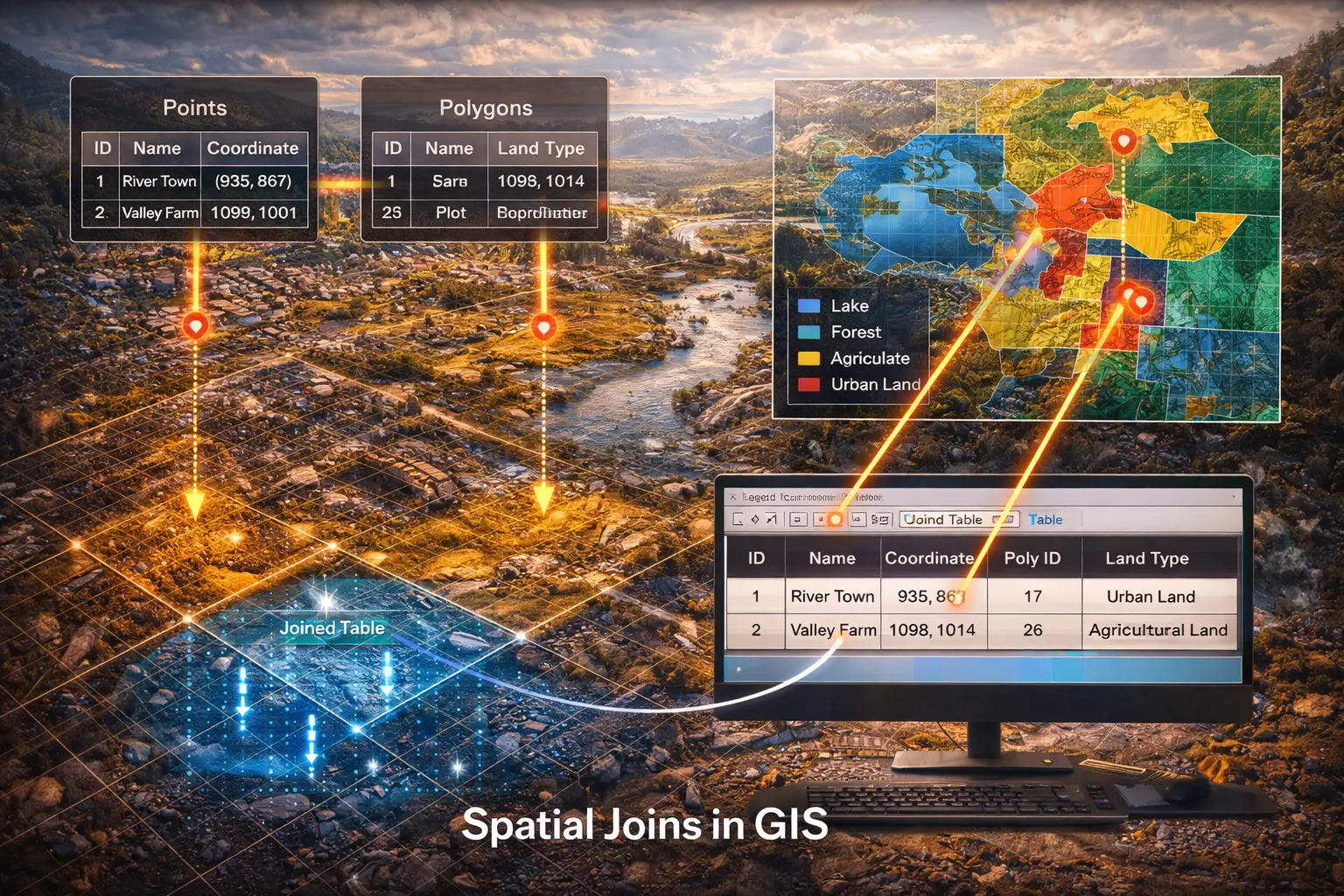
Spatial Joins and Proximity Queries
Which census tract contains each address? What's the nearest fire station to each school? Spatial joins link datasets by location rather than shared IDs. This model derives spatial join algorithms, introduces spatial indexing with R-trees and k-d trees, and implements nearest-neighbor queries efficiently.
Prerequisites: spatial indexing, nearest neighbor, k d trees, distance queries
1. The Question
Which hospital is closest to each emergency call location?
Traditional database joins use attribute matching:
SELECT * FROM customers
JOIN orders ON customers.id = orders.customer_id
Spatial joins use location:
SELECT * FROM addresses
JOIN census_tracts ON ST_Contains(census_tracts.geom, addresses.point)
Key operations:
- Contains: Which polygon contains each point?
- Intersects: Which features overlap?
- Within distance: Which features are near each other?
- Nearest neighbor: What’s the closest feature?
The mathematical question: How do we efficiently find spatial relationships between thousands or millions of features?
The challenge: Naive approach tests every pair → $O(n \times m)$ complexity → too slow!
2. The Conceptual Model
Types of Spatial Joins
1. Point-in-Polygon Join
Assign each point to its containing polygon.
Example: Geocode addresses to census tracts
- Input A: 100,000 address points
- Input B: 5,000 census tract polygons
- Output: Each address tagged with its tract ID
2. Intersection Join
Find all pairs of features that overlap.
Example: Parcels affected by flood zones
- Input A: 50,000 property parcels
- Input B: 200 flood zone polygons
- Output: Parcels that intersect any flood zone
3. Distance Join
Find all pairs within distance threshold.
Example: Homes within 1km of schools
- Input A: 200,000 homes
- Input B: 500 schools
- Output: Home-school pairs where distance ≤ 1000m
4. Nearest Neighbor Join
For each feature in A, find closest feature in B.
Example: Nearest hospital to each emergency call
- Input A: 10,000 emergency calls
- Input B: 50 hospitals
- Output: Each call assigned to nearest hospital
3. Building the Mathematical Model
Naive Algorithm (Too Slow)
Point-in-polygon join:
for each point in A:
    for each polygon in B:
        if pointInPolygon(point, polygon):
            assign point to polygon
            break
| Complexity: $O(n \times m)$ where $n = | A | $, $m = | B | $ |
Example: 100,000 points × 5,000 polygons = 500 million tests!
At 1 microsecond per test: 500 seconds = 8.3 minutes
Problem: Unacceptably slow for large datasets.
Spatial Indexing: R-tree
Idea: Organize spatial data into hierarchical bounding boxes.
R-tree structure:
- Each node: Minimum Bounding Rectangle (MBR) containing child nodes
- Leaf nodes: Actual geometries
- Internal nodes: MBRs that bound groups of features
Minimum Bounding Rectangle (MBR):
For geometry with vertices $(x_i, y_i)$:
\[\text{MBR} = [\min(x_i), \min(y_i), \max(x_i), \max(y_i)]\]Or: $(x_{\min}, y_{\min}, x_{\max}, y_{\max})$
MBR intersection test (fast):
Two MBRs $R_1 = (x_{\min}^1, y_{\min}^1, x_{\max}^1, y_{\max}^1)$ and $R_2 = (x_{\min}^2, y_{\min}^2, x_{\max}^2, y_{\max}^2)$ intersect if:
\[x_{\min}^1 \leq x_{\max}^2 \text{ AND } x_{\max}^1 \geq x_{\min}^2\] \[y_{\min}^1 \leq y_{\max}^2 \text{ AND } y_{\max}^1 \geq y_{\min}^2\]Four comparisons vs. expensive polygon-polygon intersection.
Join algorithm with R-tree:
1. Build R-tree index for dataset B
2. for each feature a in A:
3.     query R-tree with a's MBR
4.     for each candidate b returned:
5.         if actualIntersection(a, b):
6.             output (a, b)
Complexity: $O(n \log m)$ average case (much better!)
Speedup: 100,000 × log₂(5000) ≈ 1.2 million tests vs. 500 million → 400× faster
K-d Tree for Nearest Neighbor
Problem: Find nearest point in set B to query point $q$.
K-d tree: Binary tree that partitions k-dimensional space.
For 2D (k=2):
- Root level: split by x-coordinate (median)
- Level 1: split by y-coordinate
- Level 2: split by x-coordinate
- Alternates…
Construction:
function buildKDTree(points, depth):
    if points is empty: return null

    axis = depth mod 2  # 0 = x, 1 = y
    median = selectMedian(points, axis)

    node.point = median
    node.left = buildKDTree(points < median, depth+1)
    node.right = buildKDTree(points > median, depth+1)

    return node
Nearest neighbor search:
function nearestNeighbor(tree, query):
    best = null
    bestDist = infinity

    function search(node, depth):
        if node is null: return

        dist = distance(query, node.point)
        if dist < bestDist:
            best = node.point
            bestDist = dist

        axis = depth mod 2
        diff = query[axis] - node.point[axis]

        # Search near side first
        if diff < 0:
            search(node.left, depth+1)
            if abs(diff) < bestDist:
                search(node.right, depth+1)
        else:
            search(node.right, depth+1)
            if abs(diff) < bestDist:
                search(node.left, depth+1)

    search(tree, 0)
    return best
Complexity: $O(\log n)$ average case → huge speedup for large datasets!
Example: Finding nearest hospital among 1 million hospitals:
- Linear scan: 1 million distance calculations
- K-d tree: ~20 distance calculations (log₂(1,000,000) ≈ 20)
- 50,000× faster!
4. Worked Example by Hand
Problem: Find which census tract contains each address.
Addresses (points):
- A1: (2, 3)
- A2: (7, 8)
- A3: (5, 2)
Census tracts (polygons):
- T1: Square from (0,0) to (5,5)
- T2: Square from (5,0) to (10,5)
- T3: Square from (0,5) to (5,10)
- T4: Square from (5,5) to (10,10)
Solution
Step 1: Build spatial index (manually)
MBRs for tracts:
- T1: [0, 0, 5, 5]
- T2: [5, 0, 10, 5]
- T3: [0, 5, 5, 10]
- T4: [5, 5, 10, 10]
Step 2: Test each address
A1 = (2, 3):
Candidates (MBR test):
- T1: 0 ≤ 2 ≤ 5 and 0 ≤ 3 ≤ 5 → Yes
- T2: 5 ≤ 2 ≤ 10? No (fails x test)
- T3: 0 ≤ 2 ≤ 5 and 5 ≤ 3 ≤ 10? No (fails y test)
- T4: No
Point-in-polygon test for T1:
- (2,3) inside square [0,0,5,5]? Yes
Result: A1 → T1
A2 = (7, 8):
Candidates:
- T1: No (x > 5)
- T2: No (y > 5)
- T3: No (x > 5)
- T4: 5 ≤ 7 ≤ 10 and 5 ≤ 8 ≤ 10 → Yes
Point-in-polygon for T4: Yes
Result: A2 → T4
A3 = (5, 2):
Candidates:
- T1: 0 ≤ 5 ≤ 5 and 0 ≤ 2 ≤ 5 → Yes
- T2: 5 ≤ 5 ≤ 10 and 0 ≤ 2 ≤ 5 → Yes
Edge case! Point is exactly on boundary between T1 and T2.
Point-in-polygon tests:
- T1: (5,2) on right edge → convention: Not inside (use < not ≤)
- T2: (5,2) on left edge → convention: Inside (use ≤)
Result: A3 → T2
Final join results:
- A1 (2,3) → T1
- A2 (7,8) → T4
- A3 (5,2) → T2
5. Computational Implementation
Below is an interactive spatial join demonstration.
Query features: --
Target features: --
Join results: --
Tests performed: --
Try this:
- Point-in-polygon: Green polygons contain red points
- Nearest neighbor: Blue lines connect each point to nearest polygon
- Within distance: Purple circles show search radius, lines show matches
- Show spatial index: See MBR bounding boxes (dashed)
- Adjust distance: Watch connections appear/disappear
- Notice: Test count stays low because spatial index filters candidates
Key insight: Spatial indexing makes spatial joins practical—without it, large datasets would be impossibly slow.
6. Interpretation
Real-World Performance
Without spatial index:
- 1 million addresses × 50,000 census tracts = 50 billion tests
- At 1 μs per test: 50,000 seconds = 13.9 hours
With R-tree index:
- 1 million addresses × log₂(50,000) ≈ 16 million tests
- At 1 μs per test: 16 seconds
Speedup: 3,000×
This is why GIS software creates spatial indexes automatically.
Geocoding
Address geocoding = spatial join:
1. Standardize address: "123 Main St" → structured fields
2. Fuzzy match to street centerline database
3. Interpolate position along street segment
4. Join to census geography to get tract/block
Spatial join: Point (geocoded address) → Polygon (census unit)
Service Area Analysis
Problem: Assign customers to service territories.
Solution: Nearest facility join
- Customers = points
- Facilities = points (stores, fire stations, hospitals)
- Join type: Nearest neighbor
Result: Voronoi diagram (each customer assigned to nearest facility)
Demographic Enrichment
Add demographic data to customer records:
customers (lat, lon, name, ...)
JOIN census_tracts (polygon, population, income, ...)
WHERE ST_Contains(census_tracts.polygon, customers.point)

Result: customers enriched with (population, income, ...)
Business intelligence: Targeted marketing based on neighborhood demographics.
7. What Could Go Wrong?
Boundary Effects
Point exactly on polygon boundary:
May be assigned to either polygon (undefined).
Solution: Convention (use < or ≤ consistently) or assign to nearest centroid.
Multiple polygons contain point:
Overlapping polygons (e.g., political vs. statistical boundaries).
Solution:
- Return all matches (one-to-many join)
- Or prioritize by attribute (e.g., smallest polygon)
Performance Degradation
Clustered data:
If all features are in one spatial region, R-tree becomes unbalanced.
Example: All points in one city, but index covers entire country.
Solution: Adjust R-tree parameters (min/max entries per node).
High join selectivity:
If every point matches many polygons (within-distance with large threshold).
Result: Index provides little filtering → back to $O(n \times m)$ performance.
Coordinate System Mismatch
Features in different projections:
Points in WGS84 (lat/lon)
Polygons in UTM Zone 10 (meters)
Spatial operations fail (comparing apples to oranges).
Solution: Reproject to common coordinate system before joining.
Topology Errors
Invalid polygons:
- Self-intersecting boundaries
- Holes not properly encoded
- Duplicate vertices
Result: Point-in-polygon tests give wrong results.
Solution: Validate and repair geometries before join.
8. Extension: Spatial Databases
PostGIS extends PostgreSQL with spatial types and operations:
-- Create spatial index
CREATE INDEX parcels_geom_idx
ON parcels USING GIST (geom);

-- Point-in-polygon join
SELECT p.address, c.name
FROM parcels p
JOIN census_tracts c ON ST_Contains(c.geom, p.geom);

-- Within distance join
SELECT h.id, s.name
FROM homes h
JOIN schools s ON ST_DWithin(h.geom, s.geom, 1000);

-- Nearest neighbor (PostgreSQL 9.5+)
SELECT DISTINCT ON (h.id)
    h.id, s.name, ST_Distance(h.geom, s.geom) as dist
FROM homes h
CROSS JOIN LATERAL (
    SELECT * FROM schools s
    ORDER BY h.geom <-> s.geom
    LIMIT 1
) s;
GIST index = R-tree implementation in PostgreSQL.
Performance: Handles millions of features efficiently.
9. Math Refresher: Spatial Indexing
Bounding Box Intersection
Two rectangles intersect if they overlap in both dimensions.
Rectangle 1: $[x_1^{\min}, x_1^{\max}] \times [y_1^{\min}, y_1^{\max}]$
Rectangle 2: $[x_2^{\min}, x_2^{\max}] \times [y_2^{\min}, y_2^{\max}]$
X-overlap:
\[x_1^{\max} \geq x_2^{\min} \text{ AND } x_1^{\min} \leq x_2^{\max}\]Y-overlap:
\[y_1^{\max} \geq y_2^{\min} \text{ AND } y_1^{\min} \leq y_2^{\max}\]Intersect: Both overlap
Disjoint: Either doesn’t overlap
Binary Search Trees
Property: For each node with value $v$:
- Left subtree: all values < $v$
- Right subtree: all values ≥ $v$
Search complexity: $O(\log n)$ for balanced tree
K-d tree extends this to k dimensions:
- Each level splits on one dimension
- Alternates dimensions: x, y, x, y, …
Median selection ensures balance.
Voronoi Diagrams
Definition: Partition of space into regions, each containing all points closest to one site.
Voronoi cell for site $s_i$:
\[V(s_i) = \{p : d(p, s_i) \leq d(p, s_j) \text{ for all } j \neq i\}\]Construction: Nearest neighbor join creates Voronoi assignment.
Applications:
- Service territories
- Catchment areas
- Thiessen polygons (rainfall interpolation)
Summary
- Spatial joins link datasets by location, not by attribute matching
- Types: Point-in-polygon, intersection, within distance, nearest neighbor
- Naive algorithm ($O(n \times m)$) too slow for large datasets
- R-tree spatial index filters candidates using MBR tests → $O(n \log m)$
- K-d tree enables efficient nearest neighbor search → $O(\log n)$
- Applications: Geocoding, service area analysis, demographic enrichment
- Challenges: Boundary effects, coordinate system mismatch, topology errors
- Spatial databases (PostGIS) handle millions of features efficiently
- Bounding box tests much faster than full geometry operations