 WaywardHouse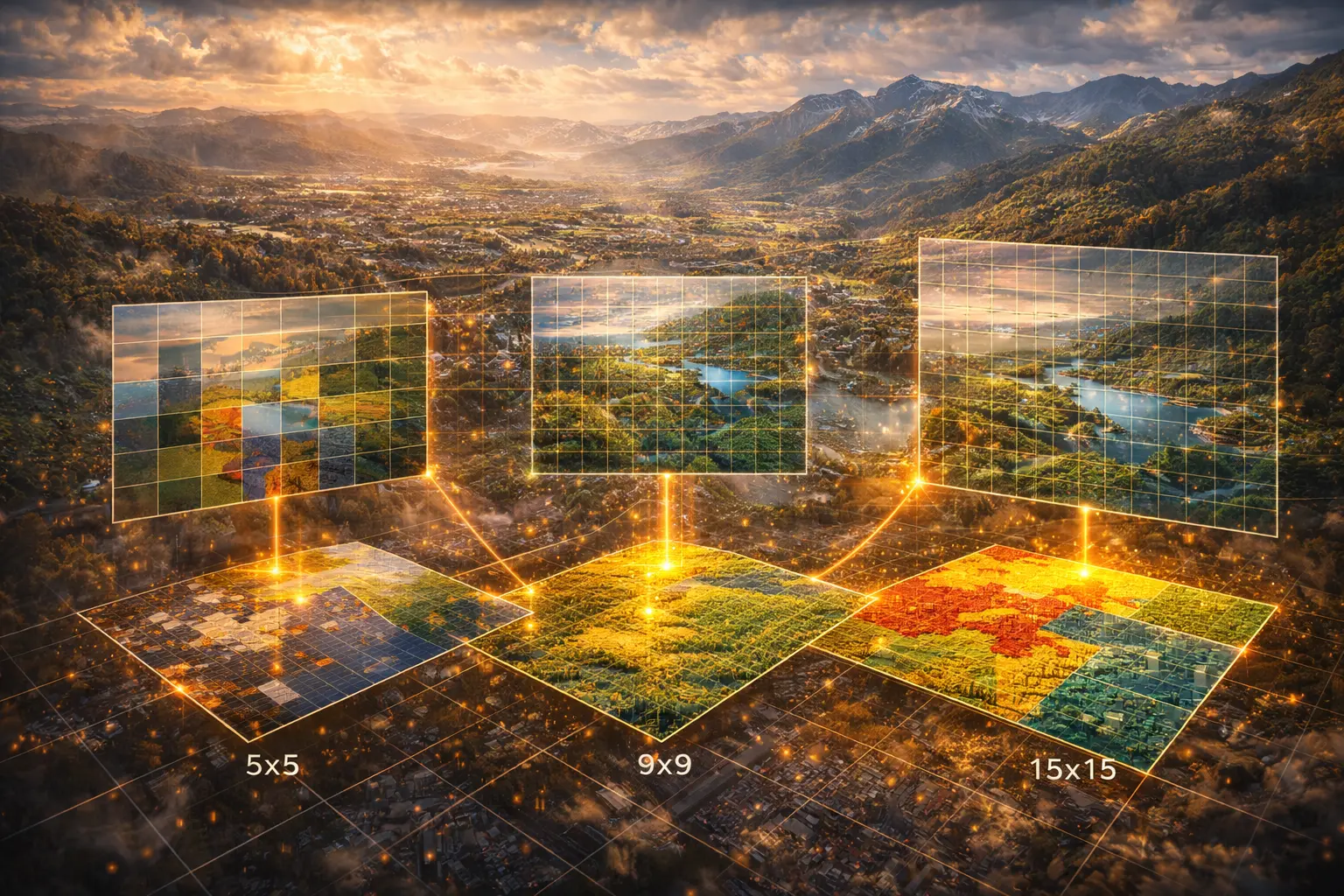
Raster Resampling and Interpolation
What happens when you zoom in on satellite imagery? How do you convert a 30m DEM to 10m resolution? Resampling changes raster resolution, while interpolation estimates values at unmeasured locations. This model derives nearest neighbor, bilinear, and bicubic methods, showing when each is appropriate.
Prerequisites: interpolation, nearest neighbor, bilinear, bicubic, weighted averaging
1. The Question
How do you convert a 30-meter resolution satellite image to 10-meter resolution?
Resampling changes the grid spacing of raster data:
- Upsampling (zoom in): Fewer pixels → more pixels (decrease cell size)
- Downsampling (zoom out): More pixels → fewer pixels (increase cell size)
- Reprojection: Change coordinate system (requires resampling)
Interpolation estimates values between measured points:
- DEM creation: Points from LiDAR → continuous elevation surface
- Climate mapping: Weather stations → temperature grid
- Missing data: Cloud gaps in satellite imagery → fill with neighbors
The mathematical question: Given values at known grid positions, how do we estimate values at new positions?
Trade-offs:
- Speed vs. quality: Fast methods produce blocky results
- Smoothness vs. fidelity: Smooth methods may blur sharp features
- Artifacts: Poor methods create visual or analytical problems
2. The Conceptual Model
The Resampling Problem
Input raster: Grid with cell size $\Delta x_1$, values $z_{i,j}$
Output raster: New grid with cell size $\Delta x_2$
Challenge: Output pixel centers don’t align with input pixels.
Example: Convert 30m DEM to 10m DEM
- Input: 100×100 grid (30m cells)
- Output: 300×300 grid (10m cells)
- Must estimate elevation at 90,000 new positions from 10,000 known values
Three Classical Methods
1. Nearest Neighbor
Use value from closest input pixel.
\[z_{\text{new}}(x, y) = z_{i,j} \text{ where } (i,j) = \text{nearest to } (x,y)\]Pros: Fast, preserves original values (good for categorical data)
Cons: Blocky appearance, discontinuous
2. Bilinear Interpolation
Weighted average of 4 nearest pixels.
\[z(x, y) = (1-u)(1-v)z_{0,0} + u(1-v)z_{1,0} + (1-u)vz_{0,1} + uvz_{1,1}\]Where $u, v$ are fractional positions within cell.
Pros: Smooth, continuous
Cons: Blurs edges, creates new values not in original data
3. Bicubic Interpolation
Weighted average of 16 nearest pixels using cubic polynomials.
Pros: Very smooth, preserves gradients
Cons: Slower, can overshoot (create values outside original range)
3. Building the Mathematical Model
Grid Coordinates
Input pixel $(i, j)$ with value $z_{i,j}$
Pixel center in world coordinates:
\(x = x_0 + i \cdot \Delta x\) \(y = y_0 - j \cdot \Delta y\)
(Note: $y$ decreases with row index—image convention)
Query point $(x_q, y_q)$: Where do we want to estimate $z$?
Find containing cell:
\(i_q = \lfloor (x_q - x_0) / \Delta x \rfloor\) \(j_q = \lfloor (y_q - y_0) / \Delta y \rfloor\)
Fractional position within cell:
\(u = \frac{x_q - x_0}{\Delta x} - i_q\) \(v = \frac{y_q - y_0}{\Delta y} - j_q\)
Where $0 \leq u, v < 1$.
Nearest Neighbor
Algorithm:
i_nearest = round((xq - x0) / dx)
j_nearest = round((yq - y0) / dy)
z_interp = z[i_nearest, j_nearest]
Equivalent: Round $u, v$ to 0 or 1.
Decision boundary: Each output pixel assigned to nearest input pixel.
Result: Piecewise constant (stair-step appearance).
Bilinear Interpolation
Four corners of cell:
- $z_{0,0} = z[i_q, j_q]$ (bottom-left)
- $z_{1,0} = z[i_q+1, j_q]$ (bottom-right)
- $z_{0,1} = z[i_q, j_q+1]$ (top-left)
- $z_{1,1} = z[i_q+1, j_q+1]$ (top-right)
Linear interpolation in x:
\(z_0 = (1-u)z_{0,0} + u z_{1,0}\) (bottom edge) \(z_1 = (1-u)z_{0,1} + u z_{1,1}\) (top edge)
Linear interpolation in y:
\[z(u, v) = (1-v)z_0 + v z_1\]Expanded form:
\[z = (1-u)(1-v)z_{0,0} + u(1-v)z_{1,0} + (1-u)v z_{0,1} + uv z_{1,1}\]Weights sum to 1:
$(1-u)(1-v) + u(1-v) + (1-u)v + uv = 1$ ✓
Properties:
- Continuous (no jumps)
- $C^0$ continuous (values match, derivatives don’t)
- Exact at grid points: $z(0,0) = z_{0,0}$, etc.
Bicubic Interpolation
Uses 16 pixels (4×4 neighborhood centered on query point).
Cubic convolution kernel:
\[w(x) = \begin{cases} (a+2)|x|^3 - (a+3)|x|^2 + 1 & \text{if } |x| \leq 1 \\ a|x|^3 - 5a|x|^2 + 8a|x| - 4a & \text{if } 1 < |x| < 2 \\ 0 & \text{if } |x| \geq 2 \end{cases}\]Where $a = -0.5$ (standard choice) or $a = -0.75$ (sharper).
Interpolation:
\[z(u, v) = \sum_{m=0}^{3} \sum_{n=0}^{3} z_{m-1, n-1} \cdot w(m - u) \cdot w(n - v)\]Properties:
- $C^1$ continuous (smooth derivatives)
- Preserves local shape better than bilinear
- Can overshoot (produce values < min or > max of neighbors)
4. Worked Example by Hand
Problem: Resample this 2×2 elevation grid to find elevation at $(1.3, 0.7)$ using bilinear interpolation.
Input grid (1m cells):
       x=0   x=1   x=2
y=0    100   110
y=1    105   120
Grid origin at $(0, 0)$, cell size = 1m.
Query point: $(x_q, y_q) = (1.3, 0.7)$
Solution
Step 1: Find containing cell
\(i_q = \lfloor 1.3 / 1 \rfloor = 1\) \(j_q = \lfloor 0.7 / 1 \rfloor = 0\)
Cell corners at: $(1,0)$, $(2,0)$, $(1,1)$, $(2,1)$
Step 2: Fractional position
\(u = 1.3 - 1 = 0.3\) \(v = 0.7 - 0 = 0.7\)
Step 3: Get corner values
- $z_{0,0} = z[1,0] = 110$ (bottom-left of cell)
- $z_{1,0} = z[2,0] = ?$ (missing—assume 115 for example)
- $z_{0,1} = z[1,1] = 120$ (top-left)
- $z_{1,1} = z[2,1] = ?$ (assume 125)
Actually, our grid only goes to $x=1$. Let me recalculate with correct bounds.
Corrected: Query $(1.3, 0.7)$ is outside grid. Let’s use $(0.3, 0.7)$ instead.
Step 1 (corrected):
\(i_q = \lfloor 0.3 / 1 \rfloor = 0\) \(j_q = \lfloor 0.7 / 1 \rfloor = 0\)
Step 2:
\(u = 0.3 - 0 = 0.3\) \(v = 0.7 - 0 = 0.7\)
Step 3: Corner values
- $z_{0,0} = z[0,0] = 100$
- $z_{1,0} = z[1,0] = 110$
- $z_{0,1} = z[0,1] = 105$
- $z_{1,1} = z[1,1] = 120$
Step 4: Bilinear formula
\(z = (1-0.3)(1-0.7) \cdot 100 + (0.3)(1-0.7) \cdot 110\) \(\quad + (1-0.3)(0.7) \cdot 105 + (0.3)(0.7) \cdot 120\)
\(= 0.7 \times 0.3 \times 100 + 0.3 \times 0.3 \times 110\) \(\quad + 0.7 \times 0.7 \times 105 + 0.3 \times 0.7 \times 120\)
\[= 21 + 9.9 + 51.45 + 25.2 = 107.55 \text{ m}\]Verification:
- Nearest to $(0,1)$ at 105m (weight 0.49)
- Also weighted toward 110 and 120
- Result 107.55 is reasonable weighted average
5. Computational Implementation
Below is an interactive resampling demonstration.
Input cells: 5×5 = 25
Output cells: --
Sampling ratio: --×
Try this:
- Nearest neighbor: Blocky, stair-step appearance (preserves exact values)
- Bilinear: Smooth, continuous (but blurs the peak)
- Bicubic: Very smooth (may overshoot slightly)
- Increase resolution: More output pixels reveal interpolation differences
- Color scale: Blue = low elevation, Red = high elevation
- Notice: Nearest neighbor preserves sharp gradients, bilinear smooths them
Key insight: Method choice depends on data type—categorical (land cover) needs nearest neighbor, continuous (elevation) benefits from bilinear/bicubic.
6. Interpretation
When to Use Each Method
Nearest Neighbor:
- Categorical data: Land cover, soil types, zoning codes
- Preserving exact values: Don’t want interpolated values (e.g., “class 2.3”)
- Speed critical: Fastest method
- Example: Reproject land cover map—don’t create new land cover classes
Bilinear:
- Continuous data: Elevation, temperature, NDVI
- General purpose: Good balance of speed and quality
- Moderate smoothing acceptable: Slight blur is OK
- Example: Resize satellite imagery for display
Bicubic:
- High-quality visualization: Print maps, publications
- Preserving gradients: Slope/aspect calculation from DEM
- Smooth interpolation needed: Climate surfaces, bathymetry
- Example: Upsample DEM for detailed terrain visualization
Aliasing in Downsampling
Problem: Downsampling without filtering causes aliasing (high-frequency artifacts).
Example: 100m DEM → 1000m DEM by sampling every 10th pixel
- Misses peaks/valleys between sampled points
- Creates artificial patterns
Solution: Average all input pixels that fall within output pixel (anti-aliasing filter).
For each output pixel:
    Find all input pixels within its extent
    z_output = mean(z_input)
This is area-weighted averaging, not interpolation.
Reprojection
Changing coordinate systems requires resampling:
1. Create output grid in new projection
2. For each output pixel:
    a. Transform pixel center to input projection
    b. Interpolate value from input grid
    c. Assign to output pixel
Challenge: Output pixel may correspond to irregular shape in input space.
Common practice: Use bilinear for most data, nearest neighbor for categorical.
7. What Could Go Wrong?
Overshoot in Bicubic
Bicubic can create values outside input range.
Example:
- Input range: [0, 255] (8-bit image)
- Bicubic output: Values like -5 or 270
Problem: Invalid for physical quantities (negative reflectance, temperatures > known max)
Solution: Clamp output to valid range: value = max(min_valid, min(max_valid, value))
Edge Effects
Near grid boundaries: Insufficient neighbors for bilinear/bicubic.
Options:
- Fallback to nearest neighbor at edges
- Pad with replicated edge values
- Assume zeros beyond boundary
- Reflect boundary (mirror)
Choice depends on data semantics.
Assuming Regular Grid
Many interpolation methods assume:
- Rectangular grid
- Uniform spacing
- Aligned with axes
Real data may be:
- Irregular point clouds (LiDAR)
- Rotated grids
- Variable resolution
Solution: Use scattered data interpolation (IDW, kriging) or triangulation.
Excessive Smoothing
Bilinear/bicubic blur sharp features.
Problem for:
- Coastlines (land/water boundary)
- Faults (abrupt elevation change)
- Roads (linear features)
Solution:
- Use nearest neighbor for boundaries
- Edge-preserving filters
- Or accept smoothing as necessary artifact
8. Extension: Advanced Interpolation
Inverse Distance Weighting (IDW)
For irregular point data:
\[z(x, y) = \frac{\sum_i w_i z_i}{\sum_i w_i}\]Where:
\[w_i = \frac{1}{d_i^p}\]$d_i$ = distance from $(x,y)$ to point $i$
$p$ = power parameter (typically 2)
Nearby points have more influence (high weight).
Kriging
Geostatistical interpolation using spatial covariance.
Steps:
- Fit variogram (model of spatial correlation vs. distance)
- Solve system of equations for weights
- Compute weighted sum (optimal in least-squares sense)
Advantage: Provides uncertainty estimates.
Disadvantage: Computationally expensive, requires expertise.
Thin Plate Splines
Minimizes bending energy (creates smoothest surface).
Used for:
- Climate data interpolation
- Surface fitting with constraints
- Morphing between shapes
Disadvantage: Global method (slow for large datasets).
9. Math Refresher: Linear Interpolation
1D Case
Points: $(x_0, y_0)$ and $(x_1, y_1)$
Interpolate at $x$:
\[y = y_0 + \frac{x - x_0}{x_1 - x_0}(y_1 - y_0)\]Equivalent form:
\[y = (1 - t) y_0 + t y_1\]Where $t = \frac{x - x_0}{x_1 - x_0}$ is normalized position.
Properties:
- Linear in $x$
- Exact at endpoints: $y(x_0) = y_0$, $y(x_1) = y_1$
- $t = 0$ → $y = y_0$; $t = 1$ → $y = y_1$
2D Extension (Bilinear)
Apply linear interpolation twice:
- Interpolate along x at $y_0$: get $f(x, y_0)$
- Interpolate along x at $y_1$: get $f(x, y_1)$
- Interpolate between these along y: get $f(x, y)$
Result: Bilinear = product of two linear interpolations.
Not the same as 2D linear (plane through 3 points)—bilinear is a hyperbolic paraboloid (saddle shape).
Summary
- Resampling changes grid resolution (upsampling or downsampling)
- Interpolation estimates values at new positions from known values
- Nearest neighbor: Fast, preserves values, blocky (use for categorical data)
- Bilinear: Smooth, continuous, general-purpose (use for continuous data)
- Bicubic: Very smooth, preserves gradients, can overshoot (use for high-quality)
- Downsampling needs filtering to avoid aliasing (average, don’t just sample)
- Reprojection requires resampling (transform coordinates, then interpolate)
- Challenges: Edge effects, overshoot, excessive smoothing
- Advanced methods: IDW, kriging, splines for irregular data
- Interpolation is weighted averaging where weights depend on distance/position